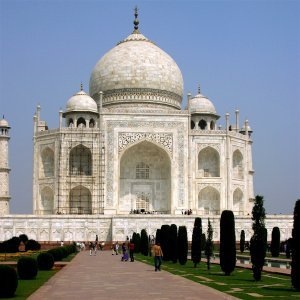
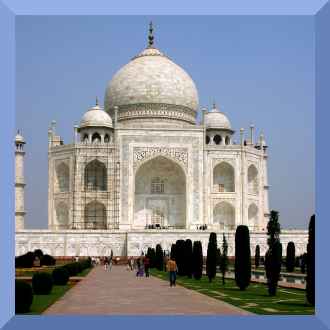
This filter just does what its name says: it adds a border to the image. You can specify the thickness of the border as well as the color. The four sides of the border are colored in different shades, so the image area will appear raised.
The image will be enlarged by the border size, it won't be painted over.
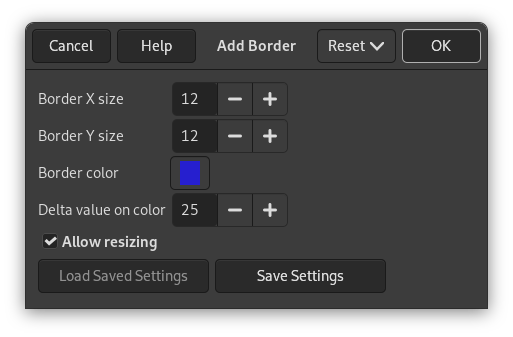
- Border X size, Border Y size
-
Here you can select the thickness of the added border, in pixels. X size (left and right) and Y size (top and bottom) may be different. Maximum is 250 pixels.
- Border color
-
Clicking on this button brings up the color selector dialog that allows you to choose an “average” border color (see below, Delta value on color).
- Delta value on color
-
This option makes the border sides to be colored in different shades and thus makes the image to appear raised. The actual color of the respective border side is computed for every color component red, green, and blue[10] from the “average” Border color as follows (resulting values less than 0 are set to 0, values greater than 255 are set to 255):
-
Top shade = Border color + Delta
-
Right shade = Border color - ½ Delta
-
Bottom shade = Border color - Delta
-
Left shade = Border color + ½ Delta
Figure 17.264. Delta examples
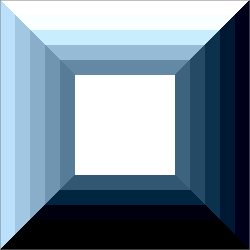
“Add Border” filter applied with Delta value on color 25, then with 75, 125, 175, and 225.
Example: the default color is blue (38,31,207), default delta is 25. So the shades of the borders are: top: (38,31,207) + (25,25,25) = (63,56,232), right: (38,31,207) + (-13,-13,-13) = (25,18,194), etc.
-
- Allow resizing
-
By default, the image size is increased by twice the specified border size to create the border in this additional space. If your image already has the intended final size, disable this option.


