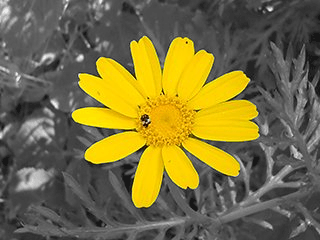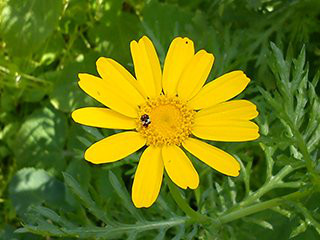
Sometimes you need to separate the subject of an image from its background. You may want to have the subject on a flat color, or keep the background transparent so you can use it on an existing background, or any other thing you have in mind. To do this, you must first use GIMP's selection tools to draw a selection around your subject. This is not an easy task, and selecting the correct tool is crucial. You have several tools to accomplish this:
-
The “Free Select Tool” allows you to draw a border using either freehand or straight lines. Use this when the subject has a relatively simple shape. Read more about this tool here: Section 2.4, “Free Selection (Lasso)”
-
The “Scissors Select tool” lets you select a freehand border and uses edge-recognition algorithms to better fit the border around the object. Use this when the subject is complex but distinct enough against its current background. Read more about this tool here: Section 2.8, “Scissors Select”
-
The “Foreground Select Tool” lets you mark areas as “Foreground” or “Background” and refines the selection automatically. Read more about this tool here: Section 2.5, “Foreground Select”

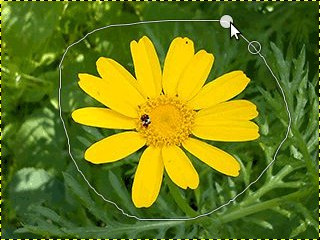

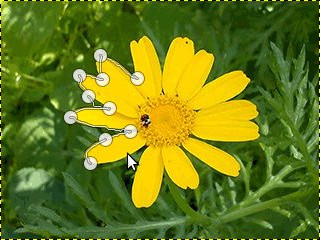

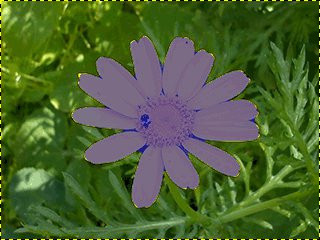
Once you have selected your subject successfully, use → . Now, instead of the subject, the background is selected. What you do now depends on what you intended to do with the background:
-
To fill the background with a single color:
Click the foreground color swatch (the top left of the two overlapping colored rectangles) in the toolbox and select the desired color. Next, use Section 3.4, “Bucket Fill” to replace the background with your chosen color.
-
To make a black-and-white background while keeping the subject in color:
Use → . In the dialog that opens, cycle between the modes and select the best-looking one, then click OK.