The paintbrush tool paints fuzzy brush strokes. All strokes are rendered using the current brush.
There are different possibilities to activate the tool:
-
From the main menu: → → .
-
By clicking the tool icon
 in the Toolbox.
-
By pressing the P keyboard shortcut.
- Ctrl
-
This key changes the paintbrush to a Color Picker.
- Shift
-
This key places the paintbrush into straight line mode. Holding Shift while clicking will generate a straight line. Consecutive clicks will continue drawing straight lines that originate from the end of the last line.
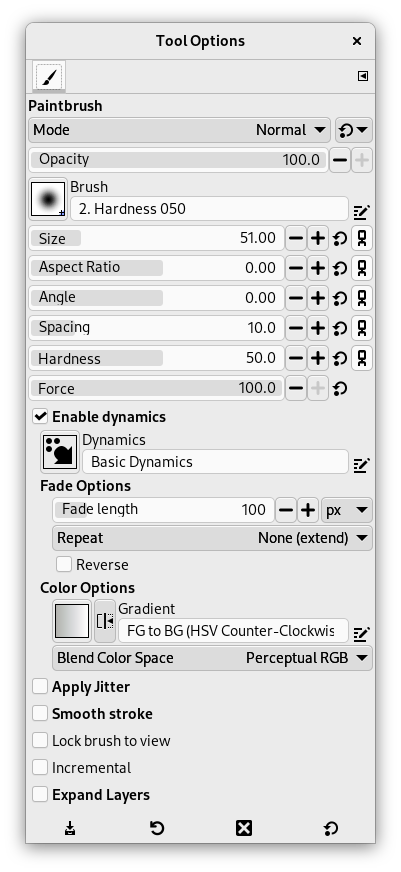
Normally, tool options are displayed in a window attached under the Toolbox as soon as you activate a tool. If they are not, you can access them from the main menu through → → which opens the option window of the selected tool. The available tool options can also be accessed by double clicking the corresponding tool icon in the Toolbox.
- Mode, Opacity, Brush, Size, Aspect Ratio, Angle, Spacing, Hardness, Force, Dynamics, Dynamics Options, Apply Jitter, Smooth Stroke, Lock brush to view, Incremental, Expand Layers
- See the Common Paint Tool Options for a description of tool options that apply to many or all paint tools.


